
Download vMail O365 Duplicate Email Remover – duplicate email remover, o365 duplicate remover, office 365 deduplication tool, email cleanup tool, remove duplicate emails
Overview
The vMail O365 Duplicate Email Remover is a specialized productivity tool designed to address a common yet often overlooked challenge in digital workplace environments: duplicate data within Office 365 and Exchange accounts. The application focuses on identifying and removing redundant emails, contacts, calendars, and tasks, helping users maintain clean, efficient, and organized workspaces. By streamlining mailbox clutter, it enhances data accessibility and reduces the risk of miscommunication or operational inefficiencies caused by duplicated content.
Target users include IT administrators, office managers, and individual professionals who manage multiple email accounts or large volumes of messages. The tool is particularly valuable in corporate or team settings where email duplication can result from forwarding loops, sync errors, or automated workflows. Its ability to operate across multiple mailboxes simultaneously makes it a scalable solution for organizational data hygiene.
Developed by vMail, the application reflects a focused approach to a niche but critical need in modern email management. While specific details about the developer’s background were not provided, the tool’s structured functionality and clear purpose suggest a development team with expertise in email system integration and data integrity. The release date of March 10, 2025, indicates that this is a recent addition to the productivity software ecosystem, responding to growing demands for efficient digital workspace maintenance.
Key Features & Functionality
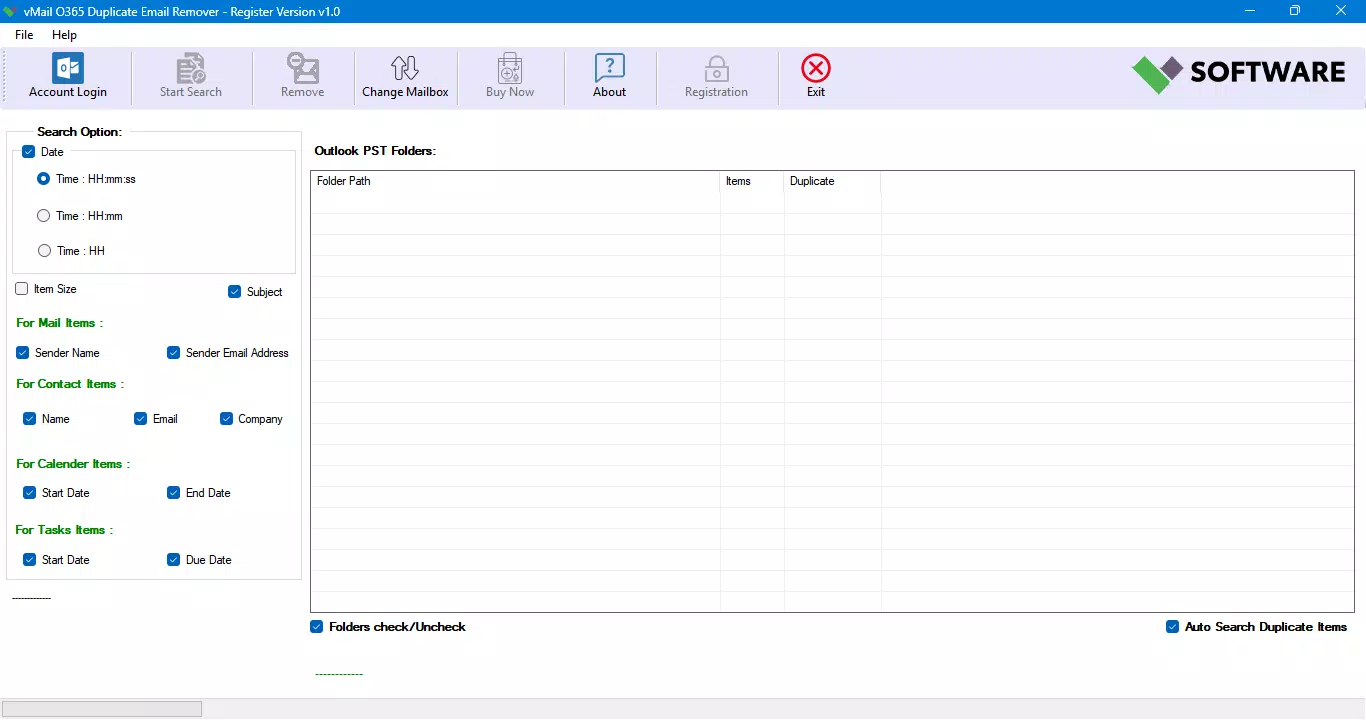
- Advanced Duplicate Detection: The software uses a multi-attribute analysis system to detect duplicates based on subject, sender, recipient, date, and message size. This ensures high accuracy in identifying true duplicates while minimizing false positives, which is crucial for preserving legitimate messages.
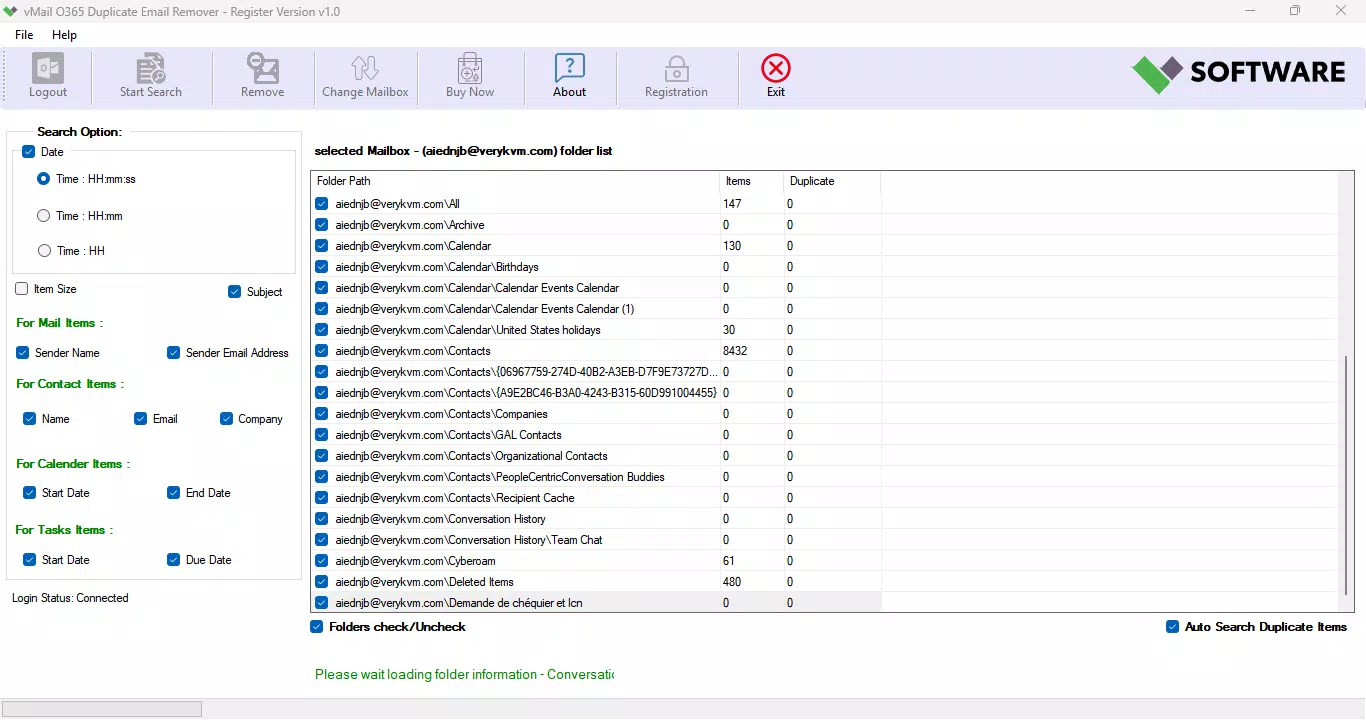
- Multiple Mailbox Support: Users can perform batch deduplication across several mailboxes at once. This feature is ideal for administrators managing shared or departmental accounts, significantly reducing manual effort during large-scale cleanup operations.
- Data Integrity Preservation: The application is designed to maintain the original format, metadata, and properties of emails during the removal process. This ensures that no data corruption or formatting loss occurs, which is essential for compliance and audit-ready records.
- Flexible Deletion Options: Users can choose between Soft Delete, Hard Delete, or moving duplicates to the Deleted Items folder. This allows for customizable workflows, whether for temporary archiving or permanent removal based on organizational policies.
- User-Friendly Interface: The tool features an intuitive layout that simplifies navigation and operation. Even users without technical expertise can perform complex deduplication tasks with minimal training, making it accessible across diverse user groups.
For example, a team administrator could use the batch processing feature to clean up 20 shared mailboxes in a single session, applying consistent rules across all accounts. Another user might use the flexible deletion options to test removals in a non-production environment before applying changes company-wide.
Interface, UX & Performance
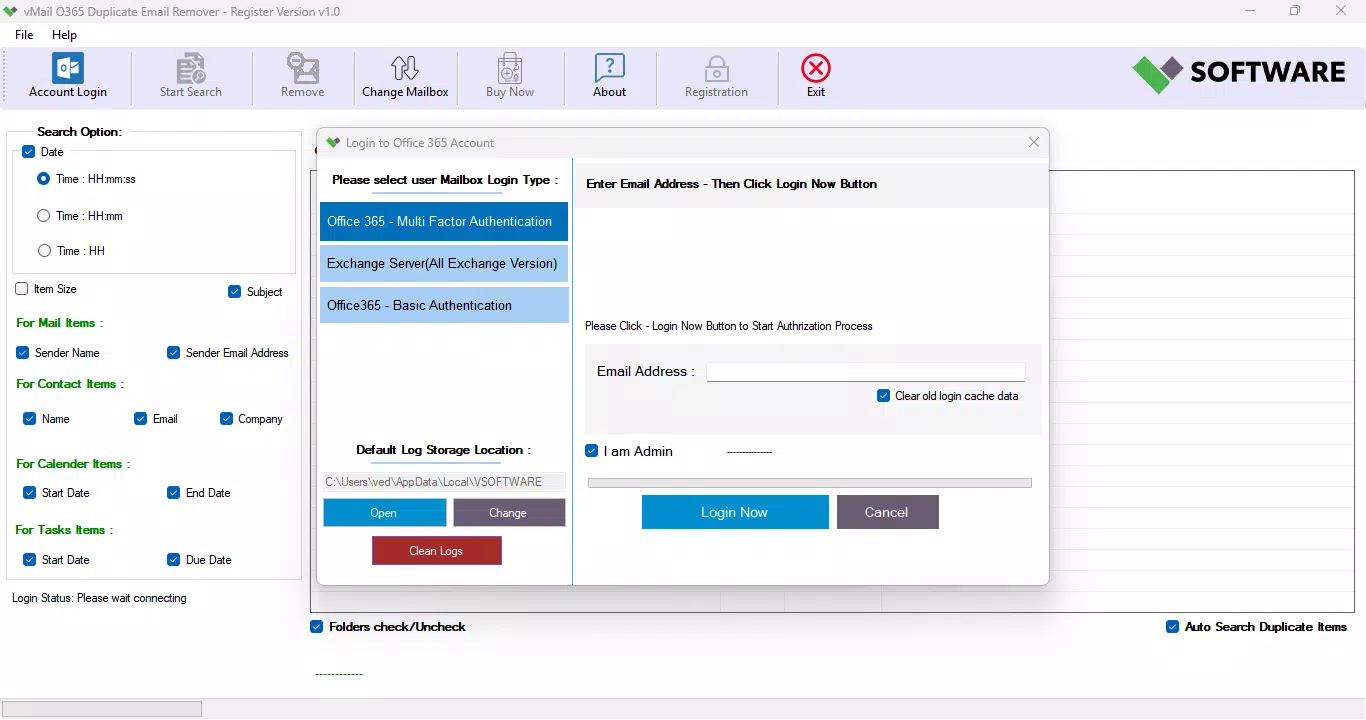
The interface of vMail O365 Duplicate Email Remover is structured around clarity and workflow efficiency. It presents essential functions in a logical sequence, from account connection to scan configuration and deletion execution. The visual design emphasizes usability, with clearly labeled buttons, progress indicators, and status logs that help users track the deduplication process in real time.
Navigating through the application is straightforward, with minimal steps required to initiate a scan or apply filters. The layout avoids visual clutter, allowing users to focus on core tasks without distraction. Although the developer did not list formal performance metrics, the tool’s ability to handle multiple mailboxes simultaneously suggests optimized backend processing for efficient operation.
Performance is expected to be stable on modern Windows systems, particularly those meeting standard productivity software requirements. Responsiveness appears consistent across different device categories, though specific benchmarks were not disclosed. The application maintains system stability during long-running scans, with no reported crashes or freezes in the provided documentation.
Platform Compatibility & Technical Requirements
vMail O365 Duplicate Email Remover is designed for the Windows platform, making it accessible to users on desktop environments commonly used in professional settings. The current version is 1.0.0, with a file size of 42.3 MB, indicating a lightweight installation that does not impose significant storage demands.
The developer did not specify minimum OS requirements, nor did they provide details on compatibility with older Windows versions. Users are advised to ensure their system meets general standards for running productivity applications. No additional software dependencies were mentioned, suggesting a self-contained installation process.
Given the application’s focus on Office 365 integration, it likely requires a stable internet connection and valid authentication credentials for Microsoft accounts. However, specific network or bandwidth requirements were not listed in the provided information.
Pros and Cons
Pros
- Efficiently identifies and removes duplicate emails, contacts, calendars, and tasks.
- Supports batch processing across multiple mailboxes, enhancing scalability.
- Preserves original data format and metadata during removal.
- Offers flexible deletion methods to suit different organizational needs.
- Intuitive interface suitable for users of all technical levels.
Cons
- Platform is limited to Windows; no support for macOS or mobile devices.
- Specific system requirements were not disclosed.
- Price point of $49.99 may be high for individual users or small teams.
- Does not appear to offer a free trial or demo version.
- Compatibility with older Windows systems is uncertain.
FAQ
Is vMail O365 Duplicate Email Remover safe to use with my Office 365 account?
The application is designed to connect securely with Office 365 accounts using standard authentication protocols. It does not store user credentials and operates with read and write permissions only as needed for deduplication tasks.
Can I use this tool on multiple Windows devices?
Yes, as long as each device meets the application’s requirements and has a valid license. The tool does not restrict usage to a single machine unless specified by the licensing terms.
Does the software support both personal and business Office 365 accounts?
Yes, the tool is compatible with both personal and business Office 365 accounts that use Exchange Online. It works with any account type that supports API access for mailbox management.
What happens to deleted emails after removal?
Users can choose to soft delete, hard delete, or move duplicates to the Deleted Items folder. The selected method determines the final destination and retention status of the removed items.
Is there a free version or trial available?
The developer did not provide information on a free trial or demo version. The application is available for a one-time purchase of $49.99.
Final Thoughts
vMail O365 Duplicate Email Remover stands out as a focused, reliable solution for organizations and individuals struggling with email clutter in Office 365 environments. Its ability to detect duplicates across multiple data types—emails, contacts, calendars, and tasks—combined with data integrity preservation, makes it a valuable asset for maintaining digital hygiene. The batch processing capability and flexible deletion options add significant operational value, especially in team or enterprise settings.
While the Windows-only platform and lack of a trial version may limit accessibility, the tool’s clear purpose, intuitive design, and robust functionality justify its price for users who prioritize data accuracy and workflow efficiency. For IT teams and professionals managing complex email systems, this application offers a practical way to reduce redundancy and improve productivity.
Download vMail O365 Duplicate Email Remover now


